
Scheduling links feel efficient, but they're actually kind of rude.
When you send someone your Calendar link, you're saying: "Here's my availability. You figure it out." They have to open your calendar, scroll through days, find a time that works, fill out a form. All the work is on them.
I've been annoyed by this for a while. Tried a few things—autonomous agents that negotiate over email, elaborate workflows. They all felt over-engineered for what should be simple.
The most respectful thing you can do is propose specific times. And show them in the recipient's timezone, not yours.
Something like:
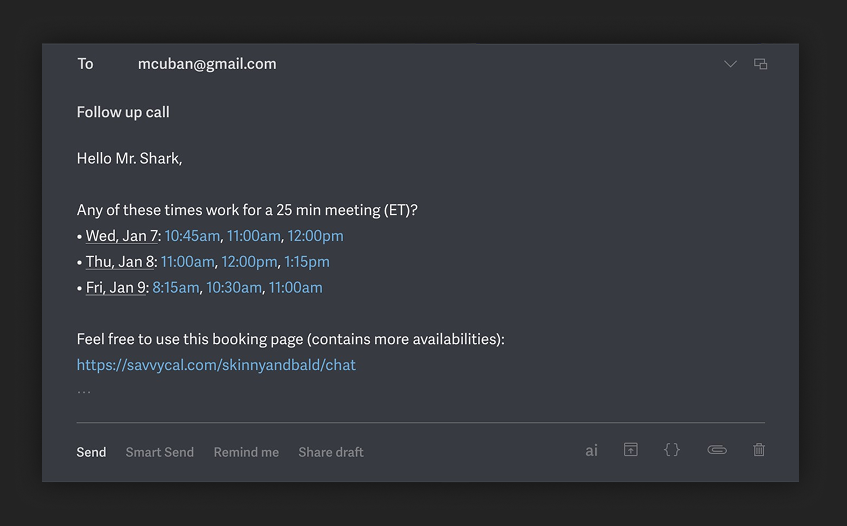
Three things make this better:
- Specific times, not just a link. The recipient can scan in 5 seconds and respond (or click the time that works).
- Their timezone. No mental math. No confusion.
- Fallback to full calendar. If none of the times work, they still have the option.
The problem is generating this manually takes forever. You have to check your own calendar, convert timezones, format it nicely.
So I built a Raycast extension that does it automatically. Pull up your SavvyCal or Cal.com availability, pick the recipient's timezone, hit Enter—formatted message copied to clipboard.
It's not just grabbing random open slots.
The extension intelligently batches meetings around your existing calendar—so if you have a 10am call, it'll suggest 9:30 or 11:00 instead of scattering times throughout your day.
And because it integrates directly with Cal.com and SavvyCal, it automatically respects the scheduling preferences you've already set up there (buffer times, working hours, etc.).
Each time slot is a clickable link for immediate booking.
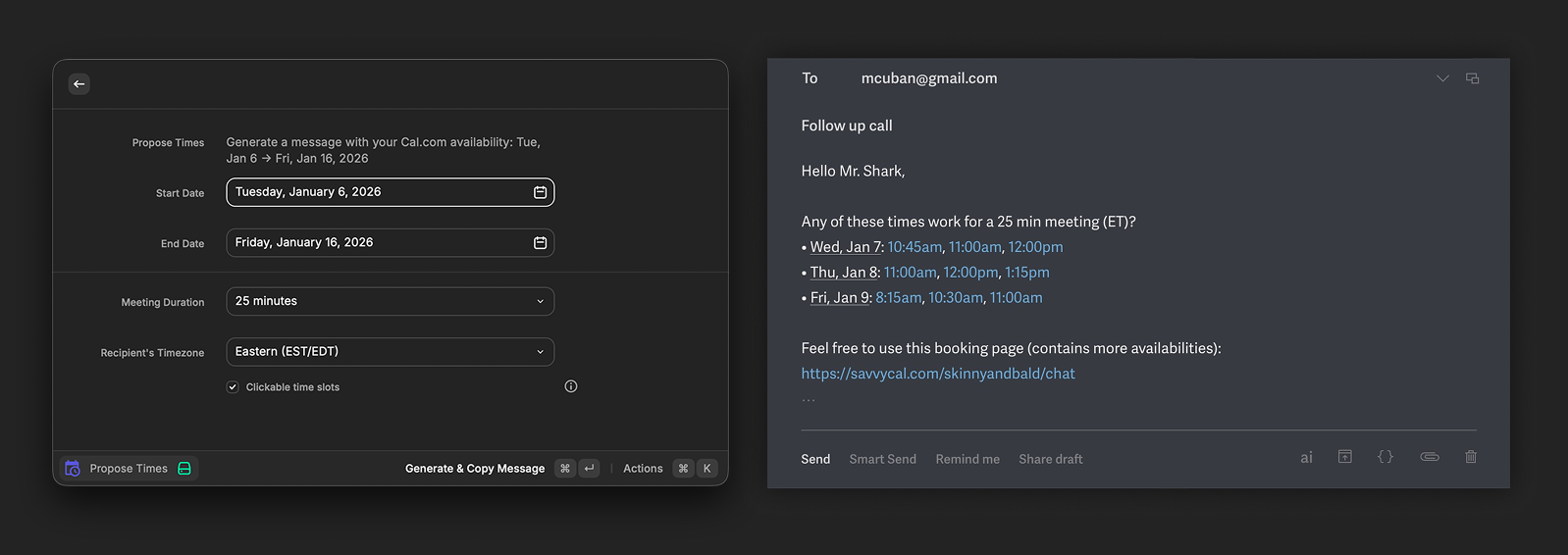
What you'll need:
- Raycast, a free app like Spotlight but more powerful. The free tier has everything you need.
- SavvyCal or Cal.com — Either scheduling service works. Cal.com has a free tier; SavvyCal starts at $12/mo.
- Vercel — For true one-click booking, you deploy a small web app to Vercel. This makes each time slot a direct booking link instead of just linking to your calendar page. Takes about 2 minutes to set up.
Both projects are open source:
- "Propose Times" — Raycast extension (generates the email message w/ times)
- "SavvyCal Booker" — one-click booking form (works w/ Cal.com too)
It's a small thing, but small things add up. Every time someone doesn't have to do timezone math or navigate your calendar picker is a tiny bit of friction removed.
Curious if you've found other ways to make scheduling less annoying.
%20Scheduling%20Links&media=https://blog.skinnyandbald.com/content/images/2026/01/Frame-1-3.png)